


When the content is ready, it will be mailed when user clicks on SendMail command. Several configurations in MailMergeSettings should be configured:
- EmailField
Specifies the field in data context that represent the emails of recipients.
- AutomaticSendMail
Specifies whether or not the mail will be sent automatically by WebTextEditor using built-in mechanism. Default value is false.
- From
Specifies the sender email.
- SubjectExpression
Specifies the subject expression of the email. If this property contains label text, it will automatically be replaced with its related field when the mail is sent.
- SMTP
Specifies the SMTP server.
- IsHTML
Specifies whether or not the content will be sent as HTML-formatted email.
- MailPriority
Specifies the priority of the email.
When the emails failed to be sent to some recipients, it will be indicated in the status bar.
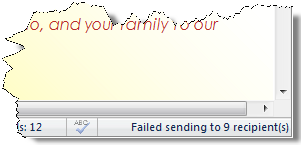
The failed email details can be retrieved in OnSendMailCompleted client-side event. In this event, three parameters will be passed:
- controlId
Specifies the id of WebTextEditor.
- failed
Specifies the number of emails failed to be sent.
- failedEmails
Specifies the emails failed to be sent, as a comma-separated value.
 See Also
Other Resources
{Labels}
{Preview Mail Merge}
{Mail Merge-related Server-side Event}